Don’t Debug in Production: Simulate, Validate & Deploy Robots Safely
How simulation can help robotics developers build, test, and deploy robot applications with greater confidence.
Rohit Kartik
Robotics development is exciting, but deploying a robot application in the real world comes with challenges. A program that looks correct in code can behave very differently when executed on a physical robot. Unexpected collisions, unreachable poses, incorrect motion paths, and faulty gripper actions can turn a seemingly simple task into a costly debugging exercise.
At DevFest Noida, I spoke about this challenge in my session, “Don’t Debug in Production: Simulate, Validate & Deploy Robots Safely.” The central idea was simple: we should identify as many problems as possible before a program reaches the physical robot.
Why debugging directly on robots is a problem
Physical robots operate in environments where mistakes can have real consequences. Testing every change directly on hardware can consume valuable production time and introduce unnecessary risks.
Some common challenges include:
Collision risks: A robot's planned trajectory may intersect with fixtures, conveyors, or other objects in its workspace.
Unreachable positions: A target pose may fall outside the robot's working envelope.
Motion constraints: Joint limits, velocity, acceleration, and singularities can affect execution.
Incorrect task logic: Gripper actions, input/output signals, or operation sequences may not behave as expected.
Recovery challenges: A robot may encounter an unexpected condition without a reliable recovery procedure.
These problems highlight why robot programming needs a testing process that goes beyond writing code and immediately running it on hardware.
A better workflow: Code → Simulation → Validation → Physical Robot
Instead of treating simulation as just a visualization tool, we can use it as an integral part of the development process.
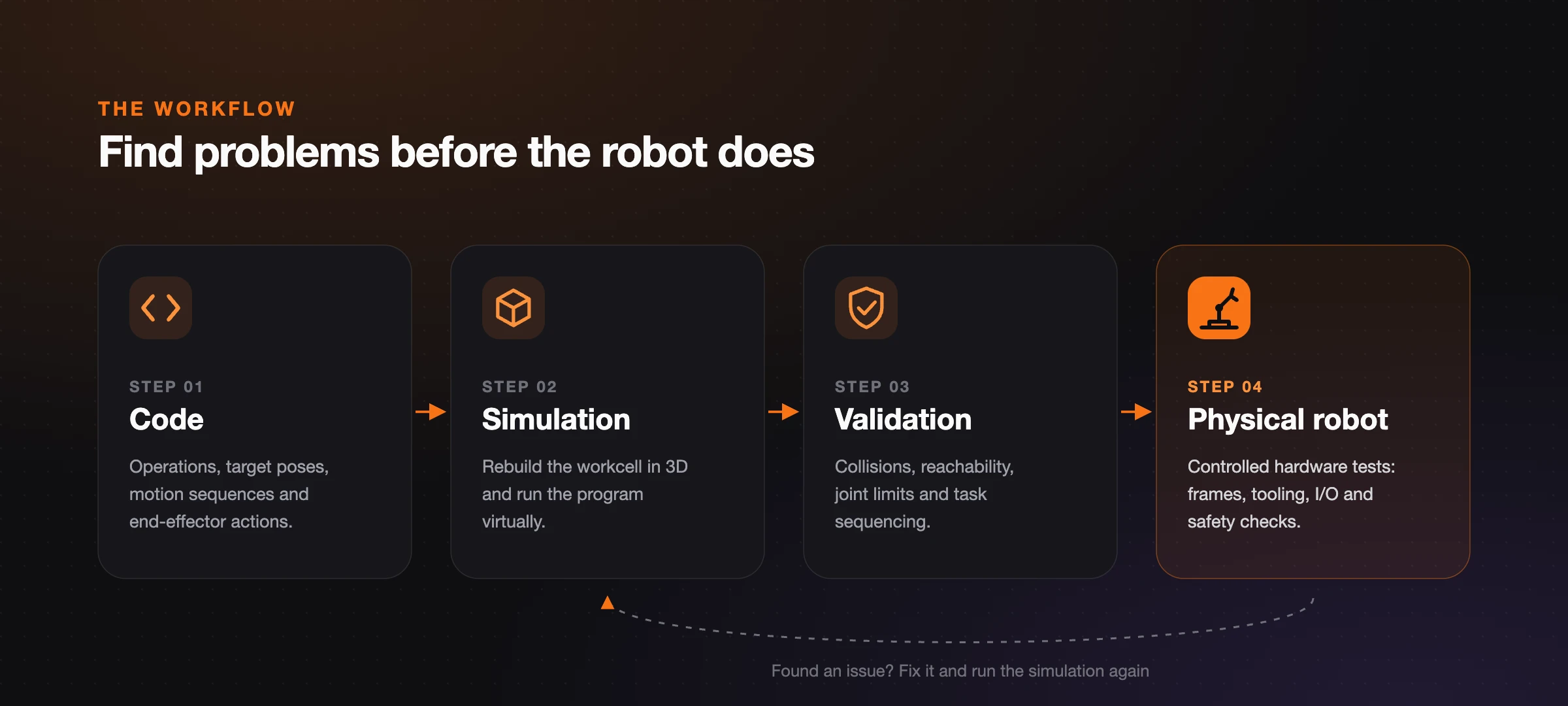
Code → Simulation → Validation → Physical Robot. Issues found in validation loop back into simulation, not onto the shop floor.
1. Code
Build the robot program and define its operations, target positions, motion sequences, and end-effector actions.
2. Simulation
Recreate the robot's workcell digitally, including relevant objects, fixtures, conveyors, and grippers. Run the application in a virtual environment to observe how the robot behaves.
3. Validation
Check the program for collisions, unreachable poses, joint-limit violations, motion issues, and incorrect task sequences. Review the workflow and address potential problems before deployment.
4. Physical Robot
Once the application has been validated in simulation, move to controlled hardware testing. Verify the actual robot's behavior, coordinate systems, tool configuration, I/O, and safety requirements before production use.
Simulation cannot eliminate every real-world failure, but it can significantly reduce avoidable errors and make hardware testing more focused.
Bringing the workflow to life with RoboViewer
During the session, I also showcased RoboViewer, our offline 3D robot simulation and programming platform at Orangewood Labs.
The idea behind RoboViewer is to make robot application development more accessible by allowing developers to design workcells, program robot operations, and test their applications in a virtual environment before deploying them to physical hardware.
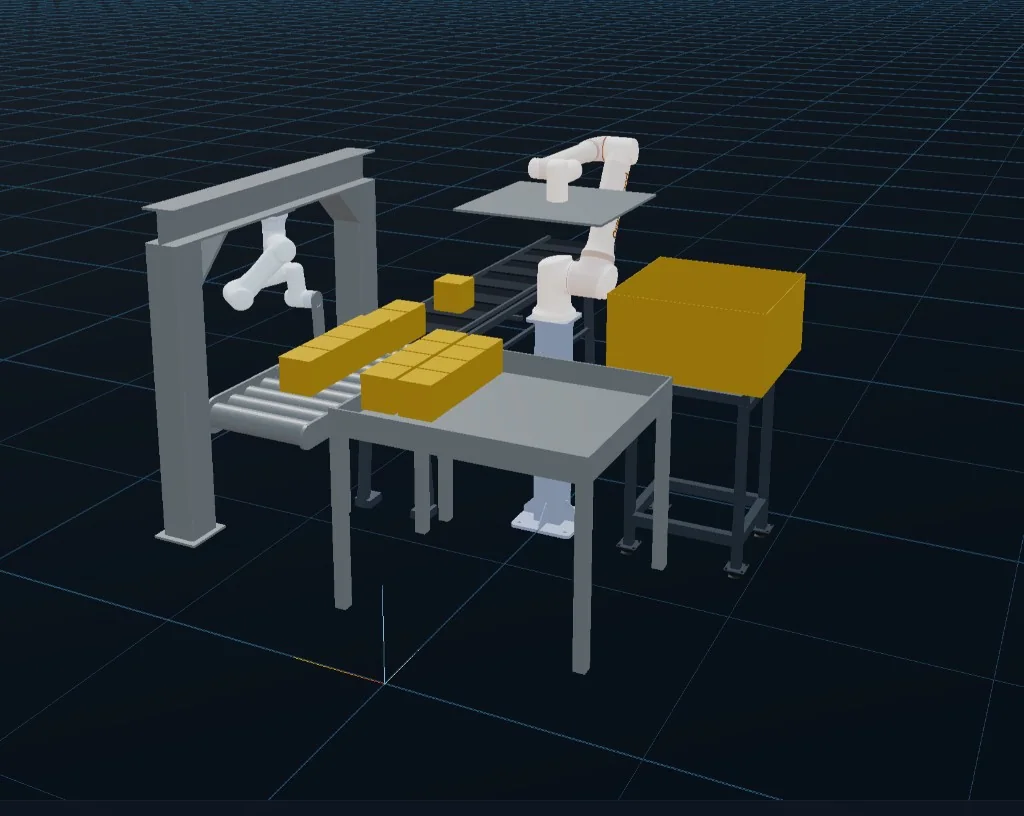
A complete workcell (robots, conveyors, fixtures and parts) simulated in the RoboViewer 3D viewport.
For example, consider a simple pick-and-place application.
A developer can add a robot, attach a gripper, place an object in the workcell, and teach the required positions. The pick-and-place sequence can then be executed in simulation to observe the robot's motion and identify potential issues.
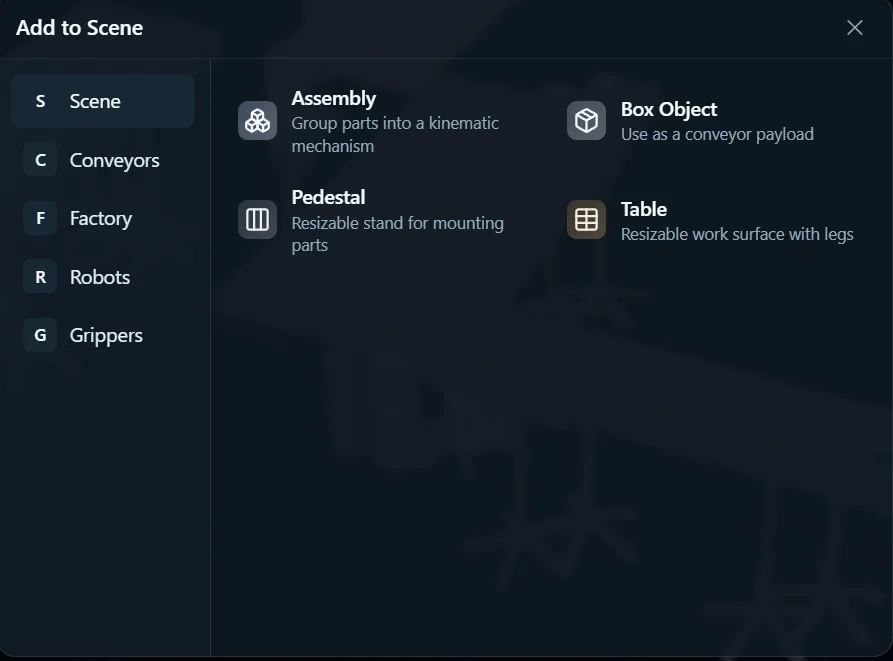
Robots, grippers and workcell objects come from the Add to Scene library.
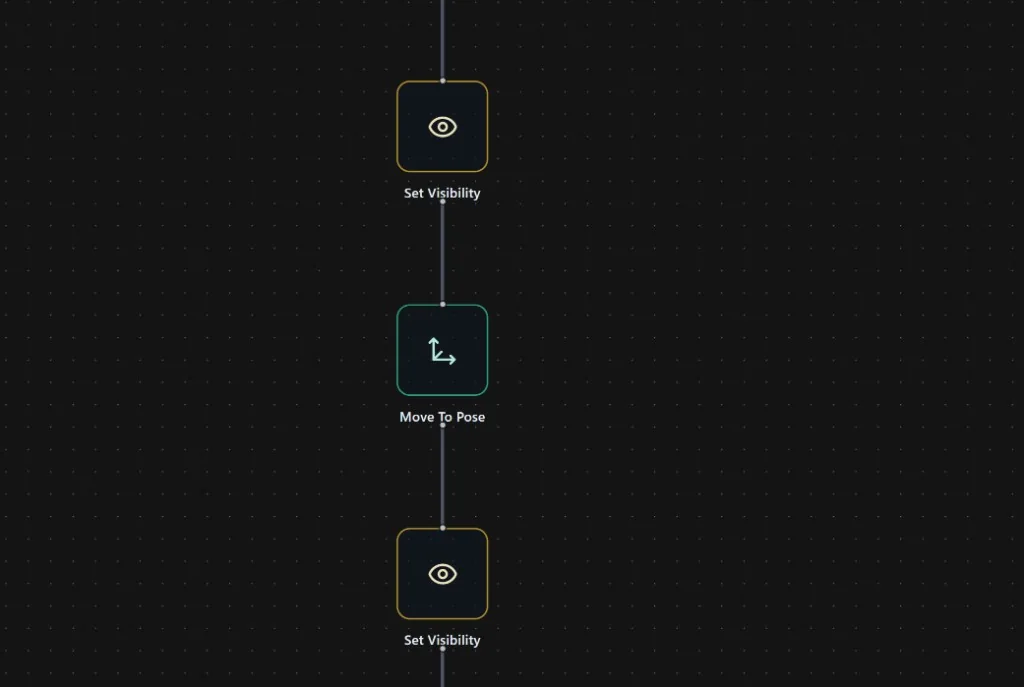
The pick-and-place sequence as a visual node program, ready to run in simulation.
If the robot collides with an object or follows an incorrect trajectory, the developer can adjust the positions or motion sequence and test again without repeatedly relying on the physical robot.
This approach can also be applied to more complex industrial automation workflows, where validating the interaction between robots, tools, and workcell components becomes increasingly important.
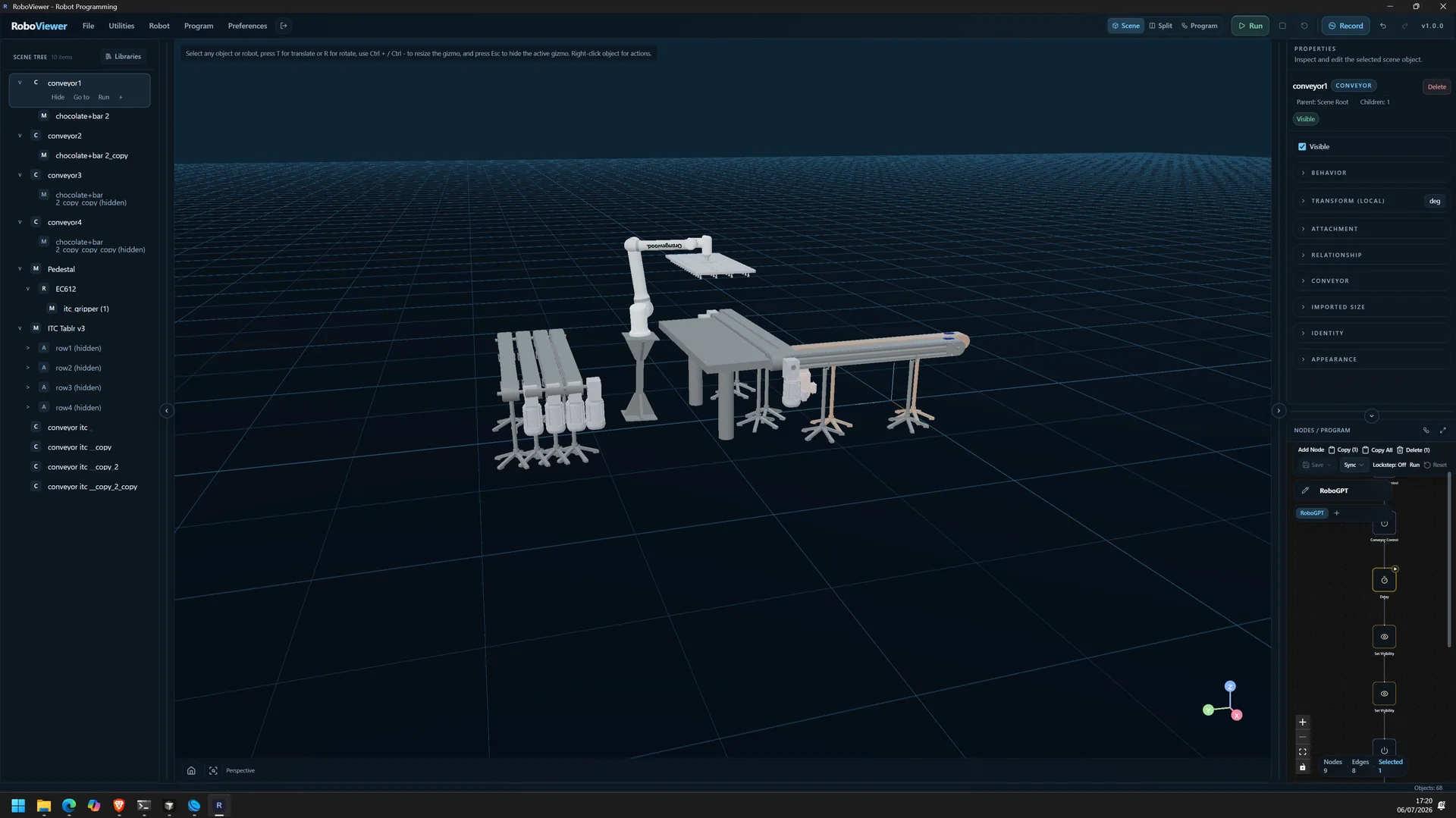
The full RoboViewer workspace: scene tree, 3D viewport, properties and program side by side.
The objective is not simply to see a robot moving in 3D. It is to build and validate a robot application before taking it to the shop floor.
What should we validate before deployment?
A useful simulation workflow should consider more than whether the robot completes a movement.
Depending on the application, developers should evaluate:
Collision detection: Can the robot, gripper, and workpiece move without intersecting obstacles?
Reachability: Can the robot reach every required target pose?
Joint and motion limits: Are the planned movements within the robot's operating constraints?
Task sequencing: Are pick, place, approach, and retreat operations executed in the correct order?
End-effector behavior: Are gripper commands and other tool actions synchronized with robot motion?
I/O and recovery logic: Are signals, failure conditions, and recovery procedures handled correctly?
Not every issue can be detected through simulation alone. Differences between the virtual model and physical setup, calibration errors, sensor uncertainty, communication problems, and unexpected environmental conditions still need to be addressed during real-world testing.
That is why simulation should complement proper hardware validation and safety procedures, not replace them.
From simulation to real-world deployment
The larger opportunity is to make simulation a natural part of the robotics development lifecycle, much like testing is part of software engineering.
When developers can reproduce a workcell, test a program, inspect its behavior, and iterate before accessing physical hardware, experimentation becomes more efficient. It also creates opportunities for teams to develop applications with less dependence on continuous hardware availability.
With RoboViewer, we are working toward making this workflow practical for developers building industrial robot applications, from straightforward pick-and-place tasks to more advanced automation scenarios.
Final thoughts
My biggest takeaway from the session at DevFest Noida is that the first time we run a program on a real robot shouldn't be the first time we've tested it.
Simulation gives robotics developers a place to experiment, identify issues, and improve their applications before entering the physical environment. Combined with systematic validation and controlled hardware testing, it can help make deployment safer, more predictable, and more efficient.
The future of robotics is not just about building robots that can perform tasks. It is also about building better processes for developing, testing, and deploying the applications that control them.
Written following my talk at DevFest Noida: “Don’t Debug in Production: Simulate, Validate & Deploy Robots Safely.”
Explore RoboViewer: roboviewer.orangewood.co
Learn more about RoboGPT: robogpt.orangewood.co
Written by
Rohit Kartik